The dashcam records the drive perfectly, then the car refuses to start after two days parked. That is an installation problem worth thinking about before a camera is fitted, not a reason to abandon the idea of recording. A dashcam can draw from a switched socket, a hardwired circuit or a separate battery; each gives a different balance of parking coverage, complexity and risk to the vehicle's 12-volt system.
The first question is what you actually need to record. If only moving traffic matters, a simple ignition-switched power source may be enough. If overnight parking footage is essential, a constant-power plan and battery protection need to be specified before an installer touches the trim.
Driving-only power is the simpler starting point
Many cameras can run from a 12-volt accessory outlet or a suitable USB source while the car is on. Check whether your chosen outlet actually switches off when the ignition is off. Some vehicles keep sockets live, which means a plugged-in camera may continue recording and draining the battery. The camera maker's powering guide warns that an always-live 12-volt outlet can drain the vehicle battery if the camera is left connected.
Try the outlet with the car locked and after any delay specified in the vehicle manual. A light that stays on for a minute is not necessarily always-on; some circuits sleep later. Do not assume another owner's model or trim behaves like yours. A clean, removable socket installation also makes it easier to diagnose a problem without altering factory wiring.
What hardwiring adds
A parking-mode installation usually needs both a constant-power feed and a signal indicating whether the ignition is on, plus a ground. The camera changes from driving mode to parking mode when the ignition signal disappears. Thinkware's manufacturer guidance describes that arrangement and recommends professional installation. Other brands may use different harnesses; the chosen camera's instructions control.
A misidentified fuse can keep a camera in full driving mode while parked. Thinkware's battery-drain troubleshooting specifically warns that an accessory wire connected to a constant-power fuse may prevent parking mode and lead to overnight drain. That is why "it turns on" is not an adequate post-installation test. The installer should demonstrate both modes with the car on and after it sleeps.
Low-voltage cut-off and parking duration
Parking recording consumes energy. A camera's voltage cut-off and timer can shut it down before the vehicle battery is too depleted to start the car. The right threshold depends on the system, battery condition and vehicle, and it should be set according to the camera and car guidance rather than copied from a forum. A tired 12-volt battery gives less reserve than a new one. In an EV or hybrid, the 12-volt electrical strategy may also differ from that of a petrol car.
For long parking periods, a dedicated camera battery can reduce demand on the vehicle battery, though it adds cost and installation work. It does not make unlimited recording possible. Compare the expected runtime with your real parking pattern and the temperature at which the car sits.
Protect the car's wiring and safety equipment
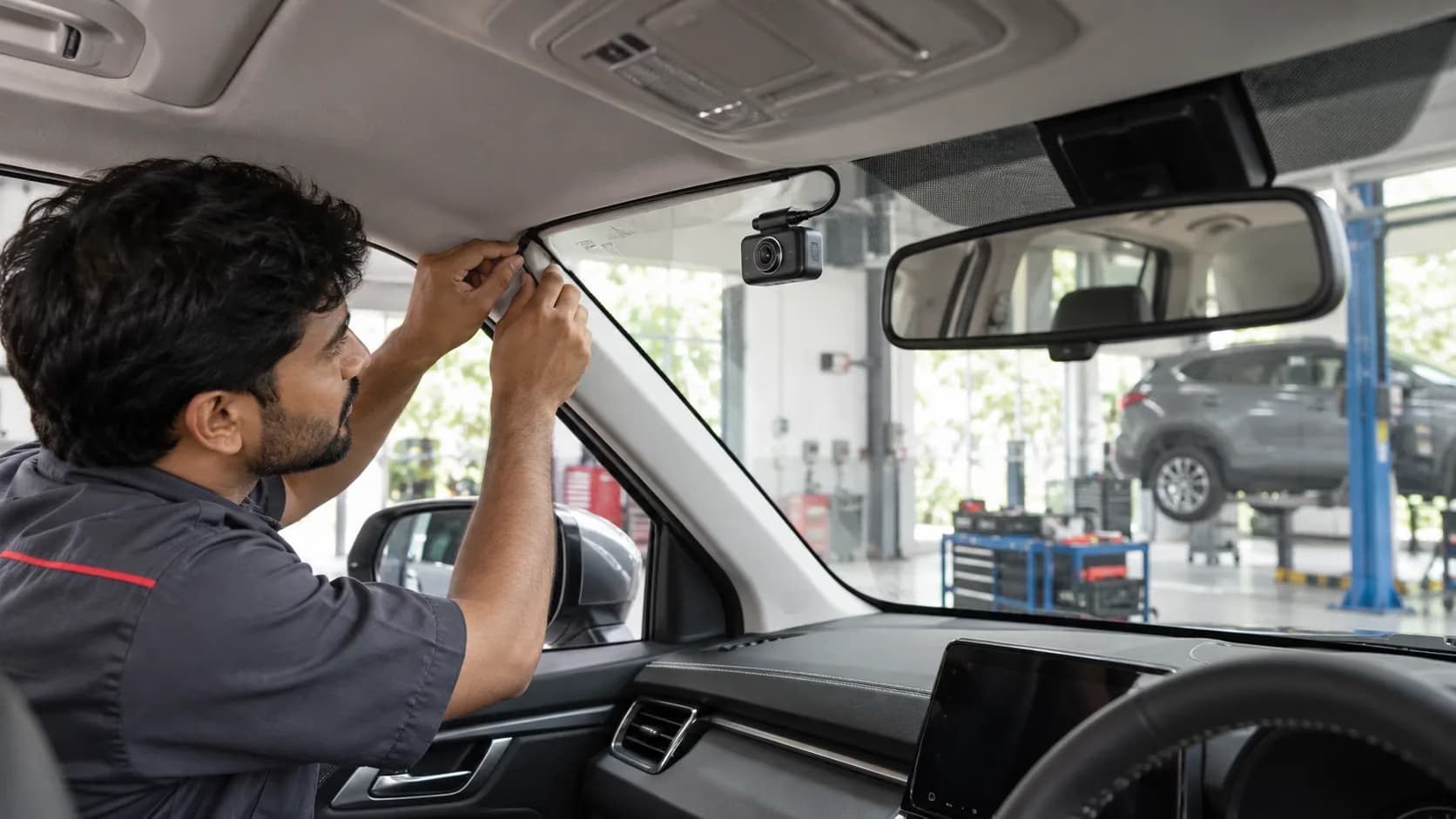
Do not let an installer splice unknown wires or run a cable across the path of a curtain airbag. The cable should not obstruct the driver's view or controls. A professional should identify the permitted power point, use the correct fuse protection and route wiring without damage to trim, seals or restraint components. Ask for photographs or a diagram of the final route and a written invoice describing the method.
Warranty concerns are vehicle- and fault-specific. An aftermarket accessory does not automatically answer every future claim, but damaged wiring or a poorly installed circuit can cause disputes over related electrical repairs. Ask the car maker or authorised dealer about the proposed method for your exact model before installation. Do not rely on a generic promise that "plug and play can never affect warranty."
Camera placement and recording quality
Mount the camera high enough for a useful road view but outside the area swept by mirror adjustments and driver sightlines. Make sure it does not block a forward-facing ADAS camera or sensor housing. Clean the glass, aim the lens correctly and review sample footage in day, rain and night conditions. A wide-angle view is not helpful if number plates are never legible in the conditions you care about.
Check that the memory card meets the camera maker's endurance and capacity recommendations. Many cameras overwrite old footage; the card can fail silently or be missing after a service visit. Establish a habit of viewing a recent clip and checking the device's status indication. A glowing LED proves power, not a usable recording.
At handover, ask for a demonstration
Watch the camera start with ignition, record a short clip and switch into the intended parking mode after shutdown. Confirm the voltage cut-off and timer settings, then test again after the vehicle has been parked long enough for its electrical system to sleep. If the car was already slow to start, have the 12-volt battery tested rather than asking a camera setting to compensate for an existing fault.
The camera must be useful after an incident
Set the correct date and time, or enable automatic synchronisation if the model supports it. Check how footage is protected from loop overwrite after an impact. A camera that records only a blurred reflection of the dashboard may be useless when you need a clip. Inspect the final mounting from the driver's normal seating position: no distraction, no obstructed view and no cable dangling near controls.
Think about the rear camera as a separate installation job. Its wire may pass through a hatch hinge area or weather seal where careless routing causes pinching or leaks. Ask the installer to demonstrate the hatch fully open and closed and confirm that the cable has clearance. If the vehicle has curtain airbags along the roofline, their deployment path is not a convenient cable channel.
Privacy and evidence handling
A dashcam records people and places beyond your own car. Keep access to its app and card controlled, and share clips only for a legitimate purpose. If a valet or service centre drives the car, know whether audio recording is enabled and what your local obligations are. Do not post a collision clip that exposes unrelated faces or registration numbers merely because the camera captured them.
After an incident, preserve the original file before the card overwrites it, note the time and location, and provide it through the appropriate insurer or police process. A compressed social-media upload is a poor substitute for the original recording. Good file management is as important as the camera's advertised resolution.
Before ordering, verify the camera's operating-temperature range for a car parked in Indian summer sun. Heat can shorten the life of a small battery and memory card; a model intended for vehicle use should have published environmental limits. The glass mounting adhesive also needs a clean surface and proper curing time. A camera falling into the driver's view is a safety issue, not merely an annoyance.
Keep the installation documents and retain access to the camera app and memory card. If the battery later drains, these records let a technician distinguish camera draw from other parasitic loads. The best dashcam setup is not the one with the most modes enabled; it is the one that produces usable footage without compromising the car.